
Uploading Content for Creators
Note: If you joined GRIN on January 23, 2023, or later, Campaigns will not be available for your account and have been replaced by Activations. You can use Activations to manage and organize your creator marketing programs.
For more information, check out our help articles.
What You'll Need
A new or existing Campaign.
At least one creator who is activated in your Campaign with assigned tasks.
How to Do It
This guide will take you through the steps on how to deliver content on your creator's behalf. If for any reason a deliverable has not pulled in, you have the option to upload those posts manually within both a campaign and a partnership.
How to Deliver Content in a Campaign
Note: For Instagram content, you can only deliver feed posts within the campaign. Stories posts can not be uploaded.
1. Navigate to Program > Campaigns.
2. Click the Campaign Work Room icon.
3. Select the Progress tab, hover over the row of the influencer you will be delivering content for, and click the Add Content icon.
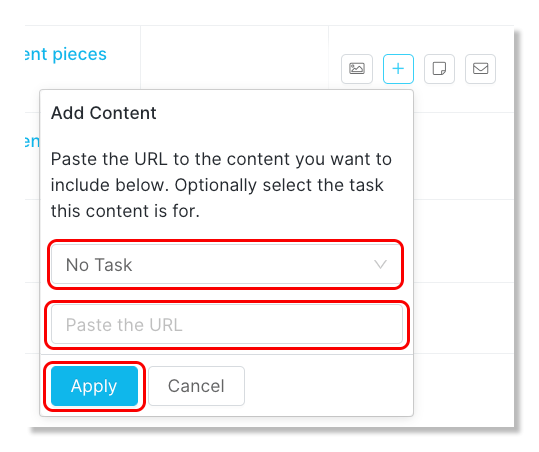
4. Select a Task for the content (optional), paste the URL of the creator's post, and click Apply.
How to Deliver Content in a Partnership
1. Navigate to Program > Partnerships.
2. Locate the influencer partnership to manage and click on the Manage Partnership icon.
3. In the Progress section, select Deliverables and select the Month to deliver the content.
4. In the Content column, click on the N/A for the task you will be delivering the content to.
5. Paste the URL for the post and click the green Upload button.