
Managing Relationship Stages
Relationship Stages are used to organize and track the progress of outreach and manage creators through your workflow. Each stage represents the creator's journey through your program until they are actively working with you or you choose to no longer work with them.
You can use relationship stages as a filter when reviewing your creators. GRIN has relationship stages already set up in your account, but you can also learn how to create and manage your own in this article.
How to Do It
You can access your relationship stages from your Contacts > Creators settings or your Contacts > Prospects settings. This article will use the Creators table to explain the process of managing relationship stages, but the steps to create, manage, and assign them are the same from both Contacts pages.
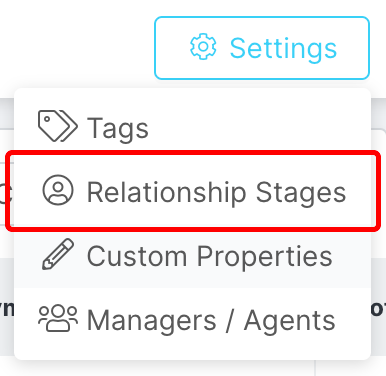
By default, GRIN comes with the following Relationship Stages:
Needs Outreach
In Talks
Creator
Ambassador
Paused
Creating Relationship Stages
1. From the Relationship Stages page, click Create.
2. Enter the Name for your new relationship stage, then click Save.
Your new Relationship Stage will now appear with the rest of your stages.
Assigning Relationship Stages
1. From your Contacts > Creators or Contacts > Prospects list, click the checkbox next to each creator you want to assign a stage to.
2. In the bulk actions that appear, click Edit > Set Relationship Stage.
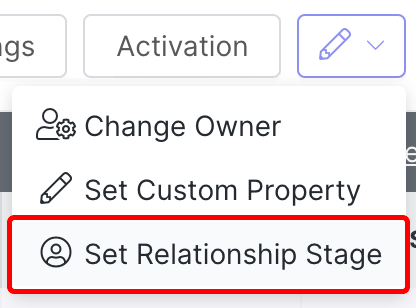
Select Set Relationship Stage from the Edit dropdown menu.
3. Select the stage you want to assign to your creators, then click Apply.
Your contacts will be updated with the relationship stage you selected.
Managing Relationship Stages
You can edit your relationship stages at any time from the Relationship Stages page. Each stage has the following actions you can take:

Click the Edit or Delete button.
Edit: Update the name for the stage.
Delete: Permanently delete the stage. This will also remove the stage from any creators it has been assigned to.
Warning: If you delete a Relationship Stage, it will be permanently removed and cannot be recovered.