
Removing Content from a Campaign
Note: If you joined GRIN on January 23, 2023, or later, Campaigns will not be available for your account and have been replaced by Activations. You can use Activations to manage and organize your creator marketing programs.
For more information, check out our help articles.
Use the following guide to delete influencer content from your campaign. Removing content can be anything from unwanted content to content that does not belong in your campaign.
What You'll Need
A new or existing Campaign.
How to Do It
Click on Program and select Campaigns.
Click the Campaign Work Room icon.
Click on the Content tab and click on the X icon.
Select Remove to remove the piece from the campaign or Delete to completely delete the post from GRIN.
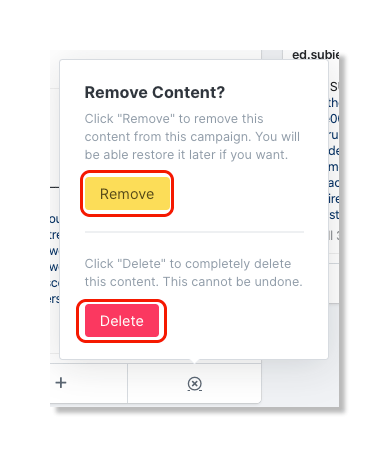
Warning: Selecting Delete will permanently remove the content from GRIN and it cannot be recovered.