Creating a Custom Campaign Task
Overview
Note: If you joined GRIN on January 23, 2023, or later, Campaigns will not be available for your account and have been replaced by Activations. You can use Activations to manage and organize your creator marketing programs.
For more information, check out our help articles.
Use the following guide to specify assignments that are not related to social media for your creators.
How to Do It
1. Click on Program and select Campaigns.
2. Click the Edit Campaign Details icon.
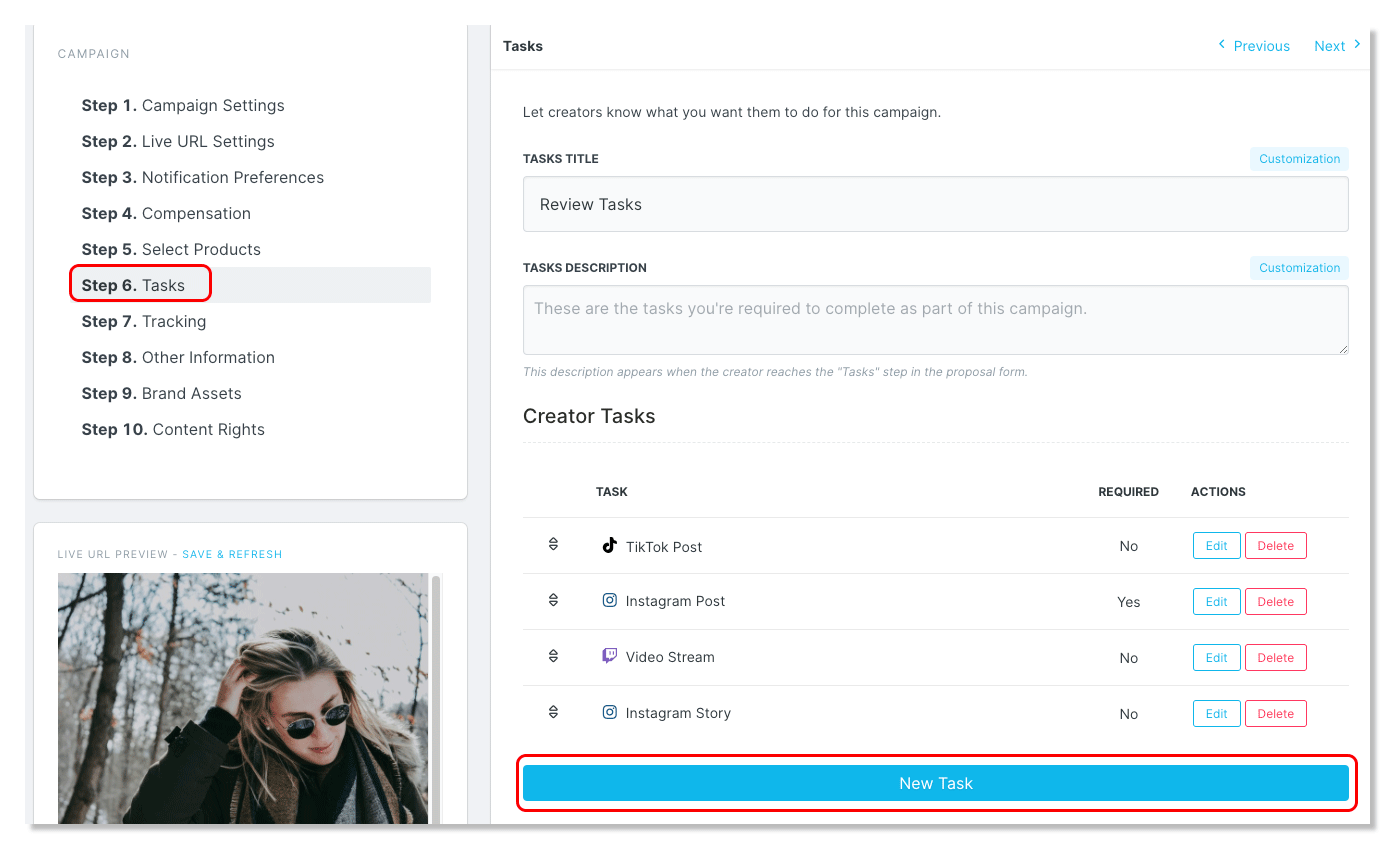
3. In Step 6: Tasks, click New Task.
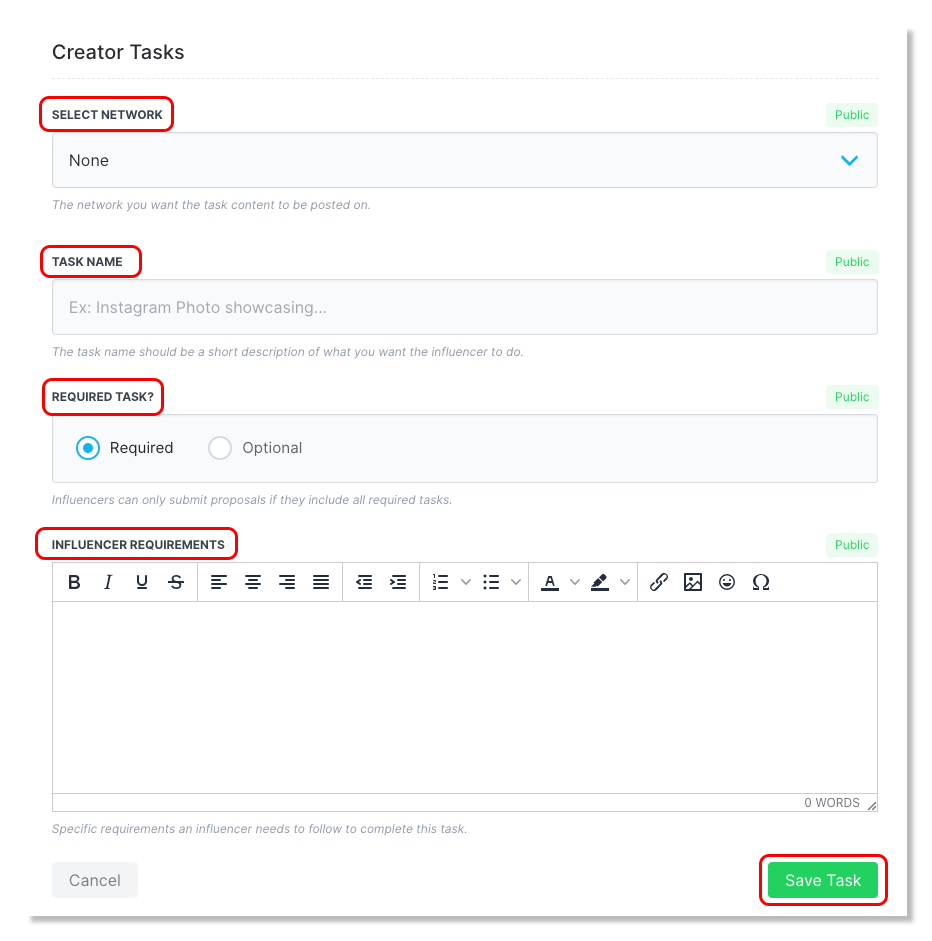
5. Under Select Network, select None.
6. Label the Task Name and compose a Task Description.
Note: Non-social media tasks can be anything from a blog post to a review or even attending an event.