
Understanding the New Content Tracking Behavior in Activations
Overview
We’ve updated how GRIN tracks creator content within activations to make sure you never miss posts that meet your tracking criteria. Previously, when activation tasks were used, tracking was limited to specific content types defined in creator-accepted tasks. Now, GRIN automatically tracks any content types included in your activation setup, regardless of whether the creator has accepted them.
This change helps ensure all eligible content is captured, significantly reducing the chances of missing posts due to differences in task setup or creator posting behavior. You can now be reassured that no post will slip through the cracks.
Timing
This change was implemented on November 14th, 2025, and will be effective for all activations created on or after that date. Any activations created before this date will continue to use the previous tracking behavior.
What Changed
Before
In previous versions, GRIN’s content tracking worked in two main ways:
Keyword tracking only – If you added keywords, mentions, or hashtags to your activation, GRIN searched for posts from all creators in the activation that matched those criteria during the activation’s live date range.
Task-based tracking – When tasks were added, tracking became narrower. GRIN only searched for the content types defined in tasks that the creator accepted.
For example, if a creator accepted a task for a “Reel,” only Reels were searched for, and other content types (like static posts or stories) were excluded.
This setup meant that if a creator posted valid content that didn’t match their accepted task type, it often wasn’t tracked or captured automatically.
After
With this update, GRIN now searches for all content types defined in the activation’s tasks — regardless of whether those tasks were required, optional, or accepted by the creator. This gives you more control over the content tracking process.
Here’s what that means:
If your activation includes tasks for posts, Reels, and Stories, GRIN will now look for all three types of content across all participating creators.
Content no longer needs to be tied to a specific accepted task to be tracked.
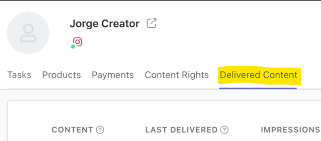
When new content is found that meets your tracking criteria but isn’t associated with a task, GRIN will still display it attached to the creator within the proper activation under Delivered Content.
You can then choose to:
Assign the content to an existing task, or
Remove it from the activation if it’s not relevant.
Why This Matters
This change ensures greater reliability in capturing content, particularly for time-sensitive formats like Instagram Stories, which can disappear quickly.
In the past, brands sometimes lost visibility into creator content due to mismatched task configurations or creators posting outside of their accepted deliverables. This update significantly reduces those gaps.
While this may result in additional content that requires review, it’s better than missing important posts entirely.
How Activation Content Tracking Works Now
Tracking starts with your defined criteria
GRIN looks for content that matches the image tags, caption mentions, or hashtags you’ve entered in the activation’s Tracking & Deliverables section.
Applies your activation’s date range
Only content posted within your activation’s defined timeframe is considered.
Matches across all content types in your activation
GRIN searches for all content types defined in your activation tasks, not just those accepted by creators.
Filters by social network
The system searches the specified social platforms (e.g., Instagram, TikTok, YouTube) for content meeting your criteria.
Displays results in the activation
Content that matches your defined criteria but can’t be matched to a specific task will appear under the activation for manual assignment or removal.
Example Scenario
Before the change:
You create an activation with a required task for a “Story” and an optional task for a “Reel.” A creator posts a tagged static image instead of a Story or Reel. Since the image wasn’t part of an accepted task type, GRIN would not have captured it automatically.
After the change:
GRIN detects that your activation includes “Story” and “Reel” tasks, so it searches for any of those types — and if a creator posts an image that meets your tag or hashtag criteria, it will still appear in your activation. You can then manually assign it to a task or remove it.
Managing Additional Content
You may notice some additional posts appearing in your activation that don’t directly match your task list. But don't worry, you're in charge. Here's how to manage them:
Here’s how to manage them:
Assign to Task: If the content is valid and should contribute to a deliverable, assign it to the corresponding task.
Remove Content: If it doesn’t belong, remove it from the activation to keep reporting clean.
If you would like to learn more about managing delivered content, you can visit this support article.
Frequently Asked Questions
Q: Will this cause unrelated content to appear in my activation?
A: No. GRIN only captures content that meets your defined tracking rules, such as brand tags, mentions, or hashtags, and only for creators who are in the activation. The update only expands the content types considered, not the tracking rules themselves.
Q: Does this change affect reporting metrics?
A: Yes. Content that is delivered but not associated with tasks will be counted towards reporting metrics for the activation, unless it is deleted.
Q: Does this change affect deliverable completion?
A: No. Only tasks explicitly assigned to content count toward the completion of deliverables. Extra tracked content will appear in the activation, but won’t affect task completion rates until assigned.
Q: What happens if I don’t assign or remove extra content?
A: It will remain visible under the activation but unassociated with any task. We recommend reviewing it regularly for clean reporting.