
Promoting Prospects into Creators
Prospects are creators that you have yet to collaborate with but would like to recruit into your program. Once a prospect has agreed on a partnership, they can be promoted to Creators.
This allows you to save the creators you currently work with and start working with them in your programs, such as an Activation. You can learn how to promote prospects with this article.
How to Do It
1. Navigate to Contacts > Prospects.
2. Click the checkbox next to the creators you want to promote.
3. From the bulk actions that appear, click Promote and change the Contact Type to Creator. You can also fill out any of the other fields as needed.
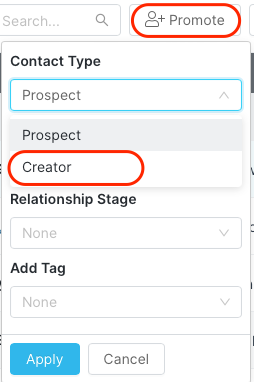
4. Select Apply.
Your selected creators will now be moved to your Contacts > Creators.