Managing Creators
Overview
In Creators, you can view all the creators you've added in GRIN as well as helpful information, such as their names, contact information, payment account statuses, and more. You can learn how you can access and filter this information in this article.
How to Do It
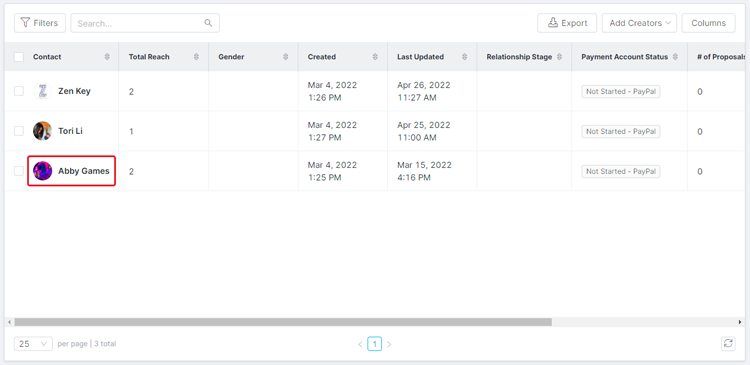
Navigate to Contacts > Creators. This will open the Creators table, which has basic tools at the top: Filter, Search, Views, Export, Add Creators, and Columns.

There are also bulk actions you can take by selecting one or more creators via their checkbox:
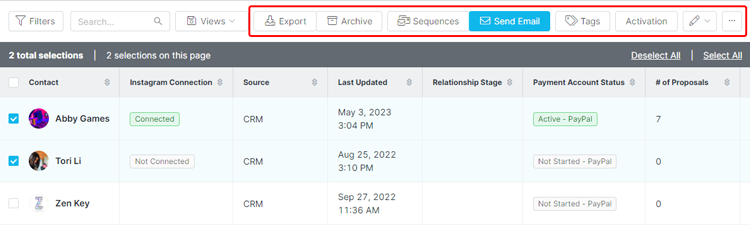
Export, Archive, Sequences (see Creating an Email Sequence), Send Email (see Composing Emails), Tags, Activation
Edit: Change Owner, Set Custom Property (see Managing Custom Properties), Change Relationship Stage
More Options: Send Alert, Assign Discount Code, Assign Affiliate Link, Compare Creators, Delete
Warning: We highly recommend archiving your creators rather than deleting them. Deleted contacts cannot be recovered.
Finally, you can select an individual creator's name to navigate to their contact profile. For more information on contact profiles, check out our help article Creator Contact Profile Overview.